INSTANT DELIVERY DOWNLOAD NOW
⭐ Used by 10,000+ professionals

AI Excel Formula Generator Build formulas in seconds.

Stop wrestling with syntax. Describe what you need in plain English and get the exact Excel formula — no errors, no endless searching. Try it free, right now.

Start free →

No sign-up to try the examples · instant results

Formula Generator
Generate any Excel formula instantly
Quick examples (click to try)
🤖 Generate any formula with AIGet early access →
💡
Pro tip
Be specific about ranges — e.g. "average sales in column B for rows 2 to 100" beats "average sales".

From your words to a working formula in 3 steps

No syntax to memorize. Describe what you need in plain English and get a ready-to-use Excel formula — with a clear explanation.

1

Describe what you need

Type it in plain English — columns, ranges, conditions, logic. The AI understands context, not just keywords.
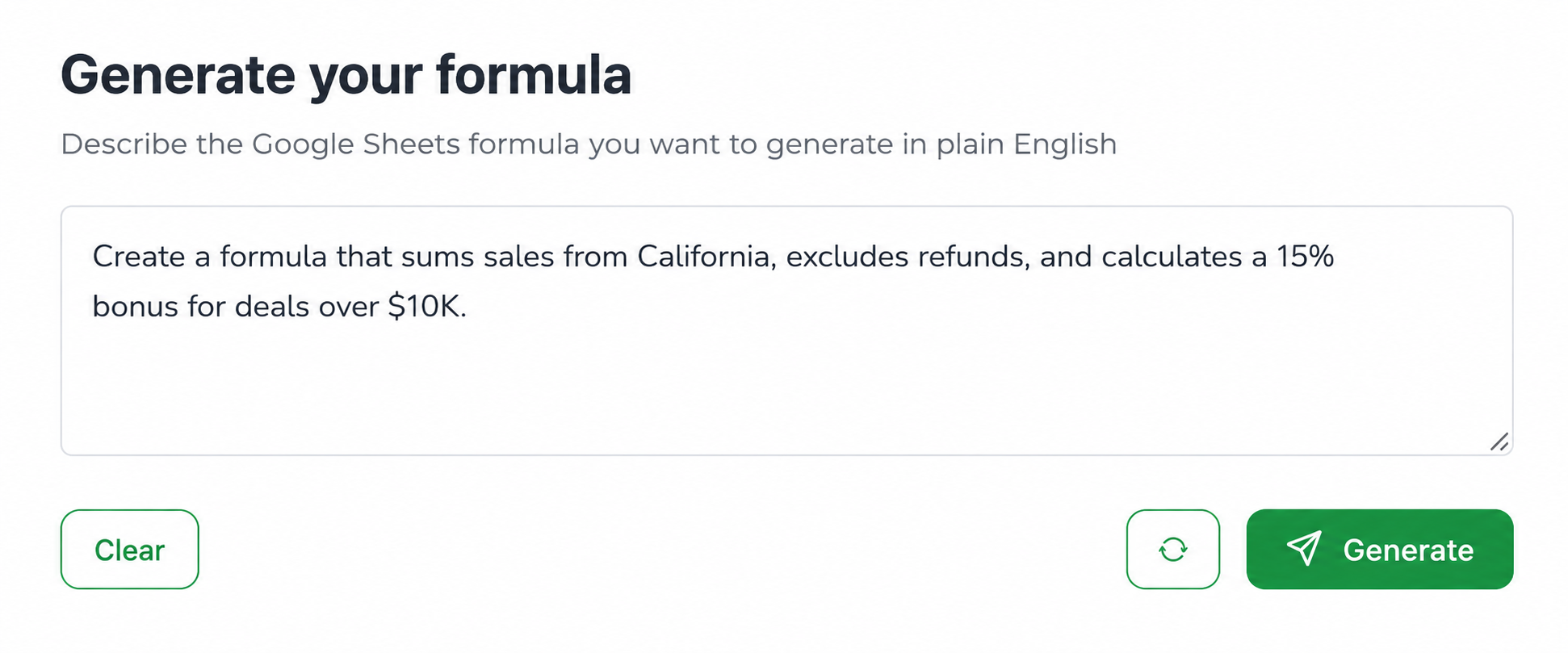
Describe your formula in plain English
2

Get a clean formula

A correct, ready-to-paste formula with the right functions and parentheses — plus a plain-English explanation of how it works.
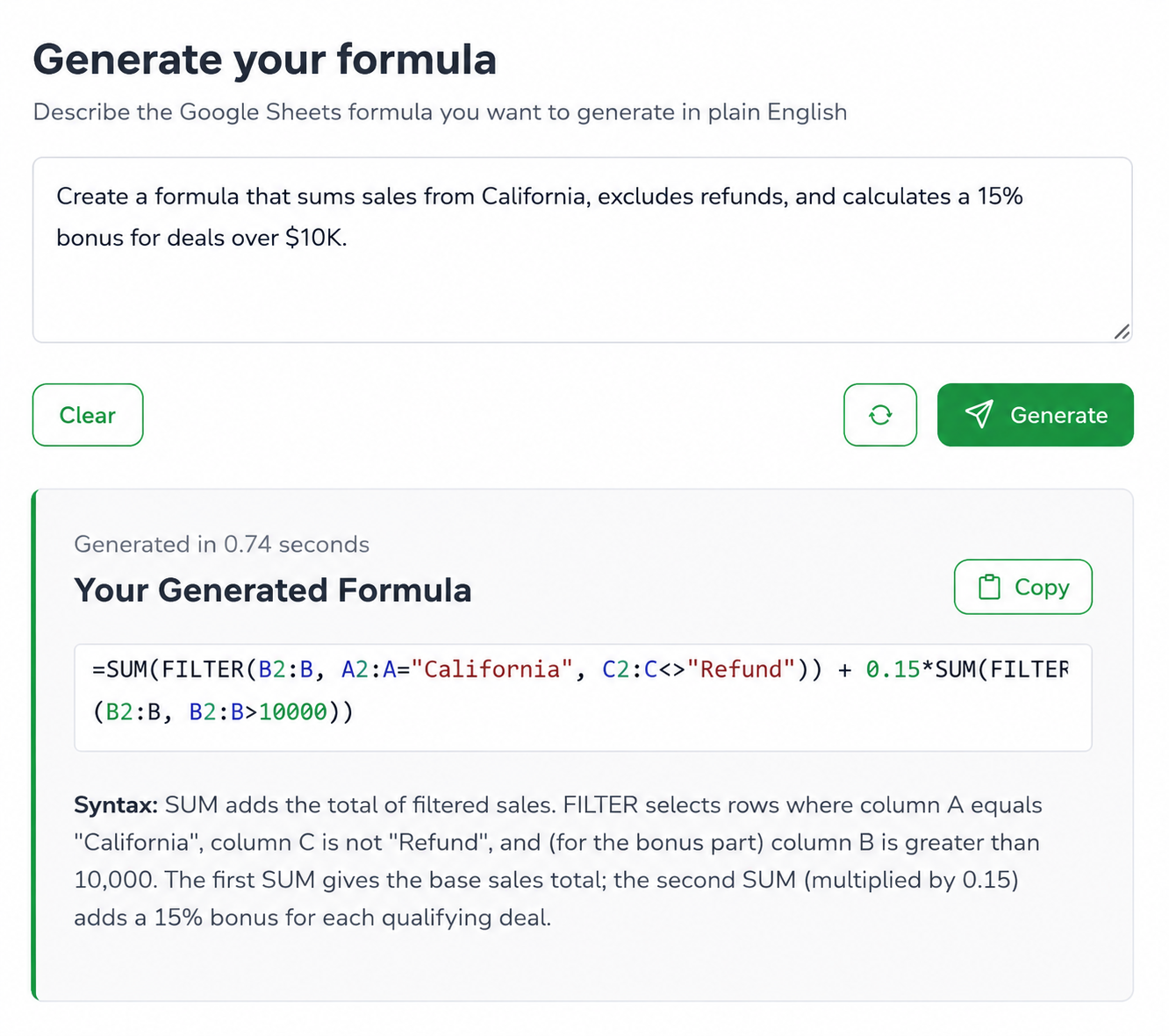
Generated formula with explanation
3

Paste & refine

Drop it into your sheet. Need a change? Ask again and refine in seconds — version-safe for older Excel too.
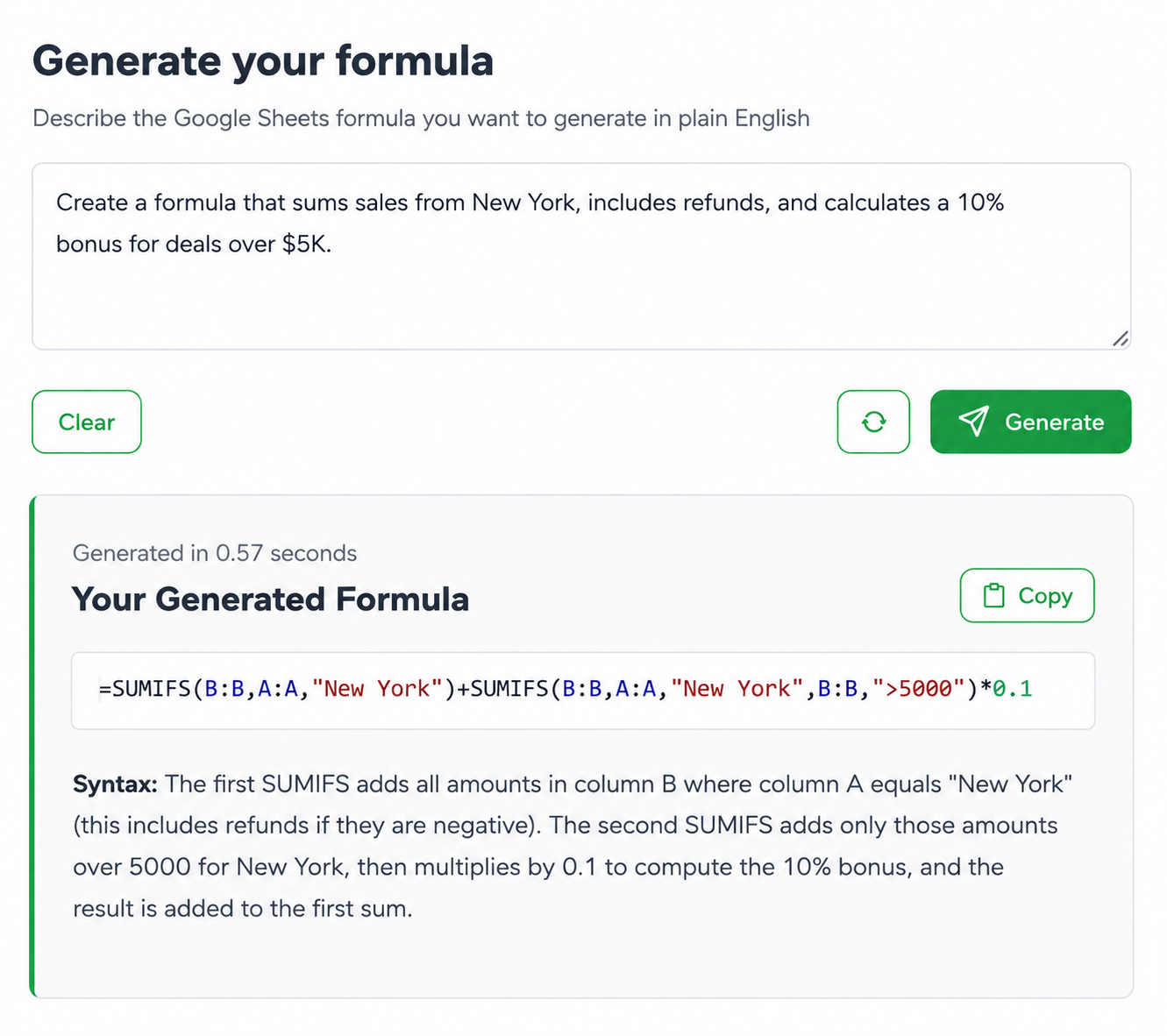
Refine your formula

Why people use it

No syntax errors

Valid functions, balanced parentheses — verified before you ever see it.

🔁

Version-safe

Modern formulas plus a legacy fallback (XLOOKUP → INDEX/MATCH) for older Excel.

📊

Excel & Sheets

Correct syntax for whichever you use — QUERY, ARRAYFORMULA and more.

Instant & simple

Plain English in, formula out. No learning curve, free to try.

Real spreadsheet work, done faster

Whatever you build in Excel, describe it once and get the formula — no syntax hunting, no rebuilding from scratch.

📊

Finance & accounting

  • Build models without formula headaches
  • Close month-end faster
  • Fewer #ERROR! surprises
Prompt

"Compound interest on 50,000 at 7.2% over 18 months"

Result=50000*(1+0.072)^1.5
⚙️

Operations & data

  • Turn manual trackers into automatic ones
  • Spot outliers instantly
  • Reliable, error-checked sheets
Prompt

"Flag deliveries more than 2 standard deviations above average"

Result=IF(B2>AVERAGE(B:B)+2*STDEV(B:B),"Flag","")
📣

Marketing & sales

  • Build campaign reports in minutes
  • Segment data without an analyst
  • Scale reporting across sheets
Prompt

"Count leads from California that converted in the last 30 days"

Result=COUNTIFS(A:A,"California",B:B,">="&TODAY()-30)

How our spreadsheet AI beats a generic chatbot

A general chatbot guesses. Ours is built for Excel — verified formulas, version-safe, right where you work.

Feature
Excel Sheets Pro AI
Generic AI
Formula accuracy
✓ Verified, spreadsheet-tuned
⚠ Often invalid, needs re-prompting
Spreadsheet knowledge
✓ Built for Excel & Sheets
⚠ General-purpose model
Errors & debugging
✓ Checked + explained for you
⚠ Manual back-and-forth
Version safety
✓ Modern + legacy fallback
⚠ No version awareness
Speed
✓ Seconds, in one place
⚠ Tab-switching, re-prompting

From text to done

It doesn't just write a formula — it saves you time, kills errors, and makes spreadsheets easy.

Generate & fix fast

Turn plain English into a working formula in seconds — and fix broken formulas or #ERROR! messages just as fast.

💬

Plain-English explanations

Every formula comes with a clear breakdown of how it works — so you learn as you go, not just copy-paste.

📊

Excel & Google Sheets

Correct syntax for both — including QUERY, ARRAYFORMULA and nested logic.

🔁

Version-safe output

Modern functions plus a legacy fallback, so the formula works on your version of Excel.

No syntax errors

Functions and parentheses are verified before you ever see the result.

🚀

No expensive analyst

From simple sums to advanced logic — get formulas that used to need a specialist.

Frequently asked questions

Is it free?
Try the examples free instantly. Free accounts get a monthly allowance of AI generations; heavy users can upgrade.
Does it work for Excel and Google Sheets?
Both. Choose your platform and the formula is written in the correct syntax for it.
Do I need to install anything?
No. It runs in your browser — just copy the formula and paste it into your sheet.
How accurate is it?
Every formula is checked for valid functions and balanced syntax before display. For best results, be specific about your ranges and conditions.
Why not just use ChatGPT?
A general chatbot isn't tuned for spreadsheets — it often returns invalid functions and needs re-prompting. Ours is built for Excel & Sheets, verifies the formula, and gives a version-safe fallback.
Can it handle complex, nested formulas?
Yes — multi-condition logic, nested functions and lookups. The clearer your description (columns, conditions, order), the better the result.
Does it support Sheets-only functions like QUERY?
Yes. On the Google Sheets generator it uses Sheets-specific functions such as QUERY, ARRAYFORMULA and FILTER where they fit.

Stop fighting formulas.

Generate your next Excel formula in seconds.